Once Over
Press kit
Once Over: Where’s your second copy? Once Over counts the folders you’d miss and shows, for every file, whether it has a second copy: in iCloud, in a backup, or nowhere yet. One answer, then what to change.
- Name
- Once Over
- What it is
- Where’s your second copy?
- For
- Anyone with files they’d miss
- Runs on
- macOS 26 and later
- Price
- Check free, as often as you like. Pay €4.99 once to have it keep watch. No subscription.
- Released
- Free to try from onceover.nicoleslittlebrother.tech
- Made by
- nicoleslittlebrother, an independent studio
Download Once Over free · Buy · €4.99
What it does
- One answer first. One sentence before any number: “2,469 files (12.2 GB) exist only on this Mac, and there’s no backup.” Then every folder as a band, so you can see where the files with no second copy are.
- The trap nobody mentions. With “Optimise Mac Storage” on, iCloud keeps some files only online. They aren’t on this Mac, so a backup of this Mac can’t include them. Once Over counts them, and shows two ways to give them a second copy.
- Read from the backup drive itself. The date of your last Time Machine backup, how many there are and how full the drive is, read from the drive you choose. Then which files have changed since. It never says a file is in a backup: it can’t see inside one.
- What needs you, most useful first. A short list, each with one button: Time Machine settings, iCloud settings, Finder or the Photos guide. Once Over changes nothing itself.
- Pay once, and it keeps watch. A check every week, a note when the last backup gets old or the drive goes quiet, the count in the menu bar, history, a report, more than one drive and Shortcuts.
Icon
Download the icon (1024 × 1024 PNG)
Screenshots
Full size, as on the App Store. Click one to download it.
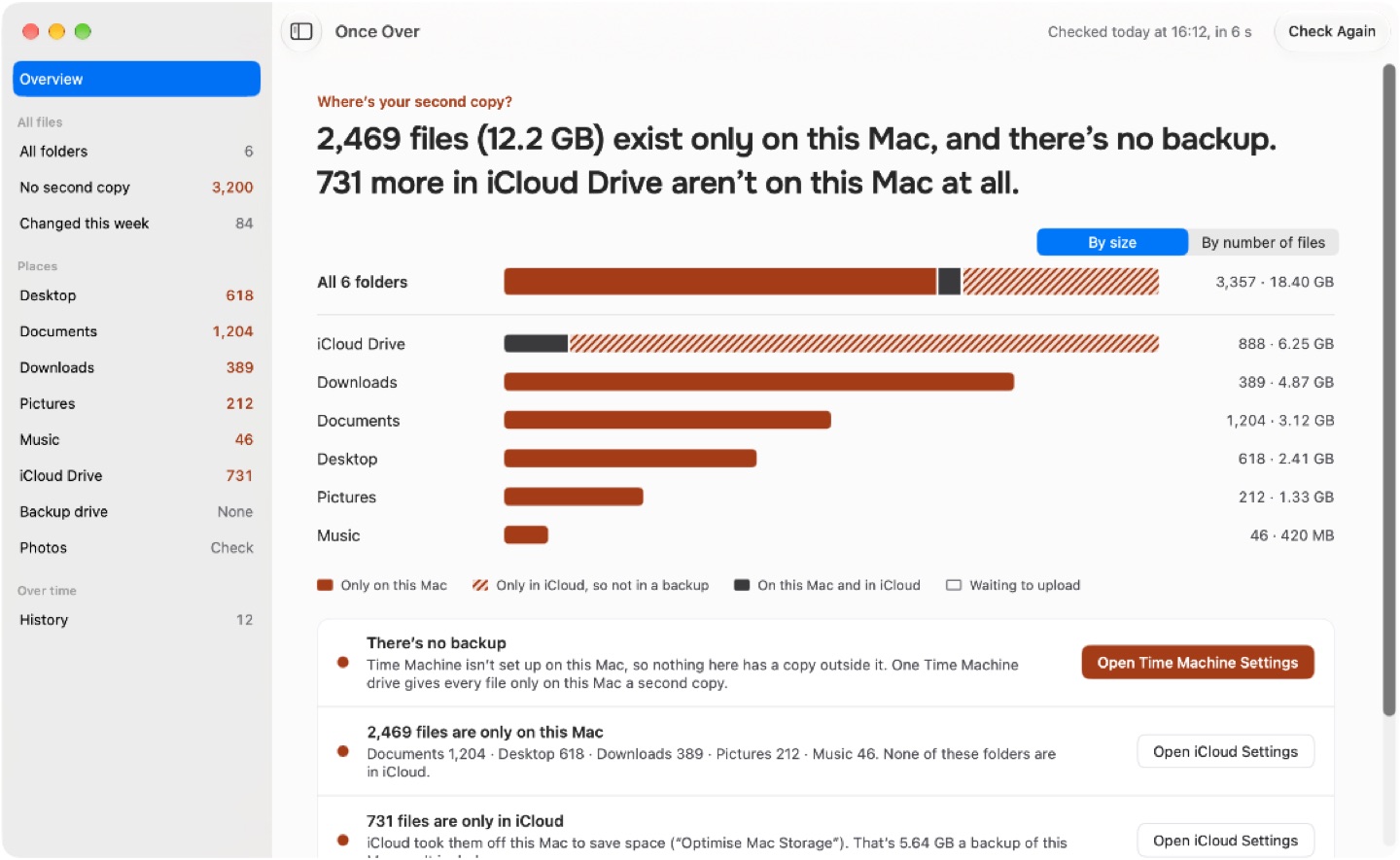 Once Over’s Overview: 2,469 files exist only on this Mac and there’s no backup, with each folder’s band and what needs you
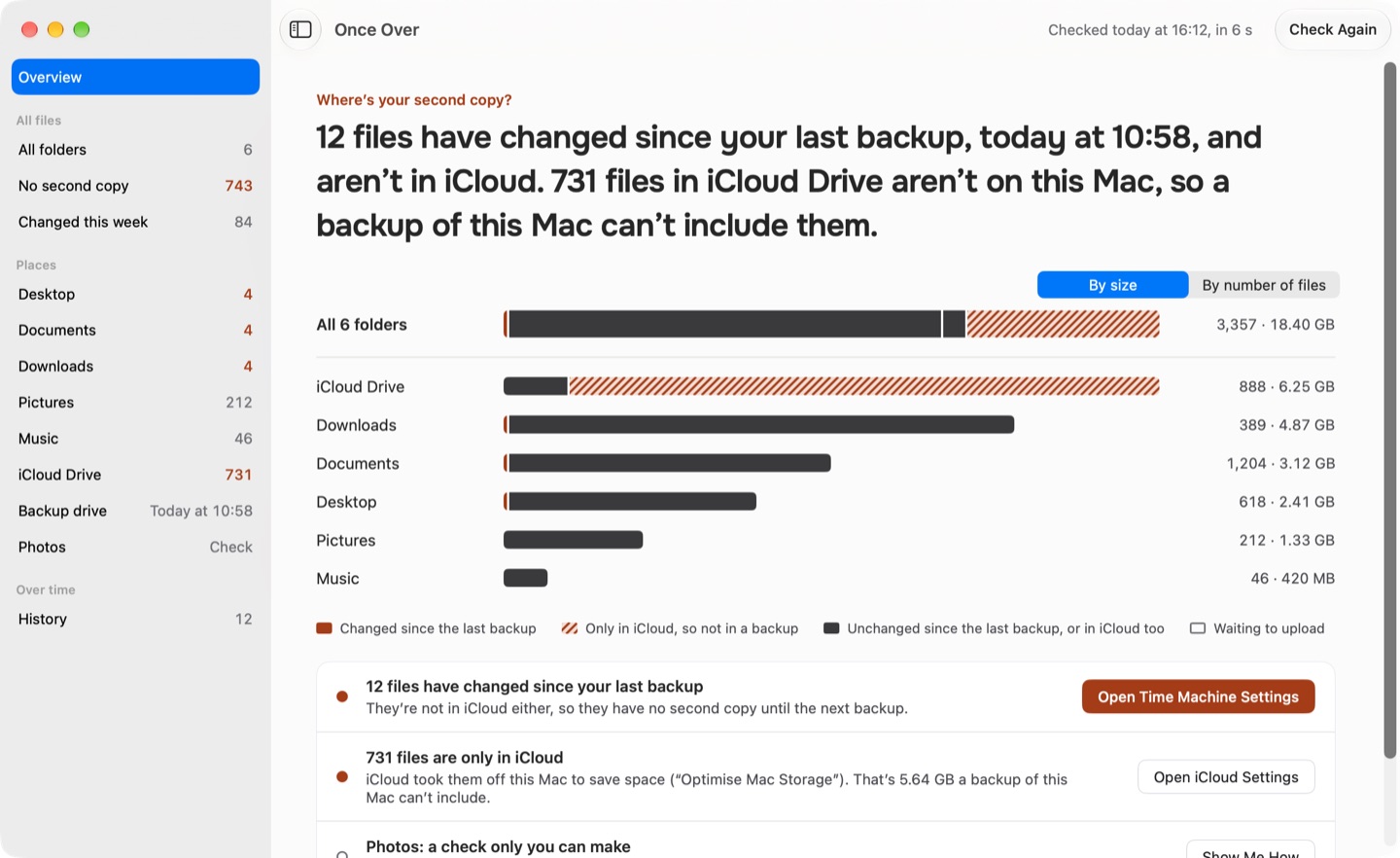 With a backup drive: 12 files have changed since the last backup and aren’t in iCloud, and the rest are drawn as having a second copy
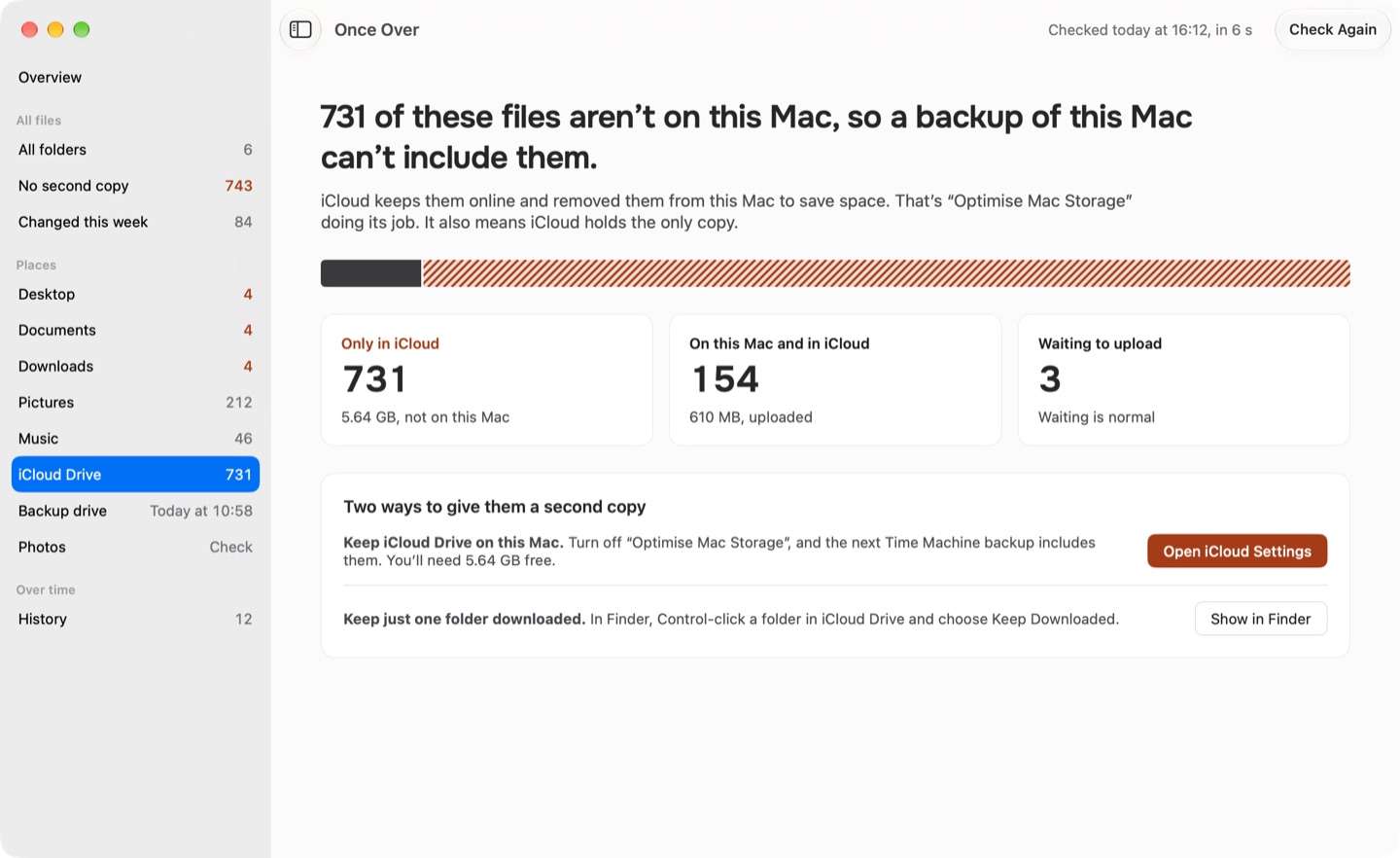 iCloud Drive: 731 files aren’t on this Mac, so a backup of this Mac can’t include them, with two ways to give them a second copy
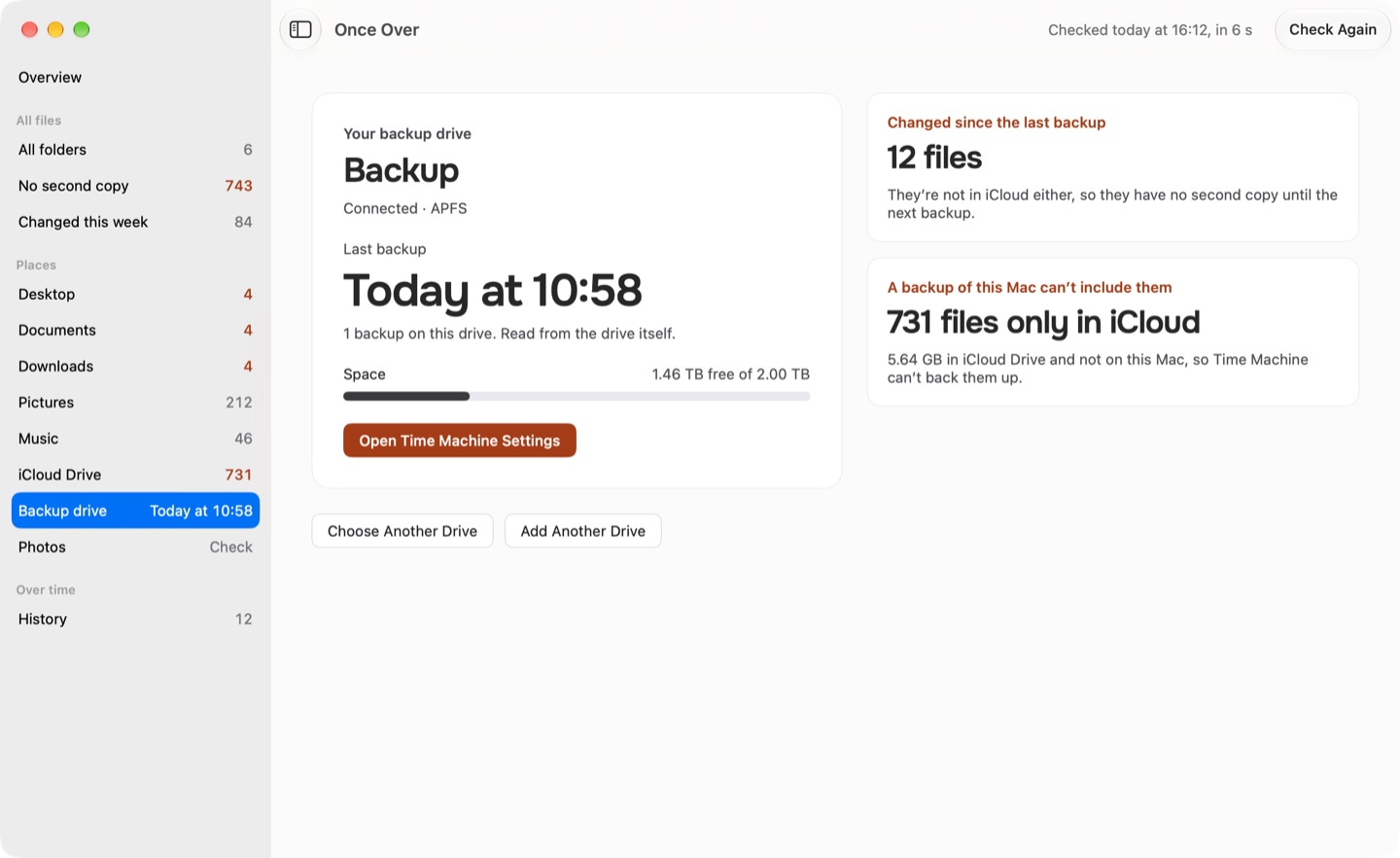 Your backup drive: the last backup today at 10:58, read from the drive itself, its free space, and the 12 files changed since
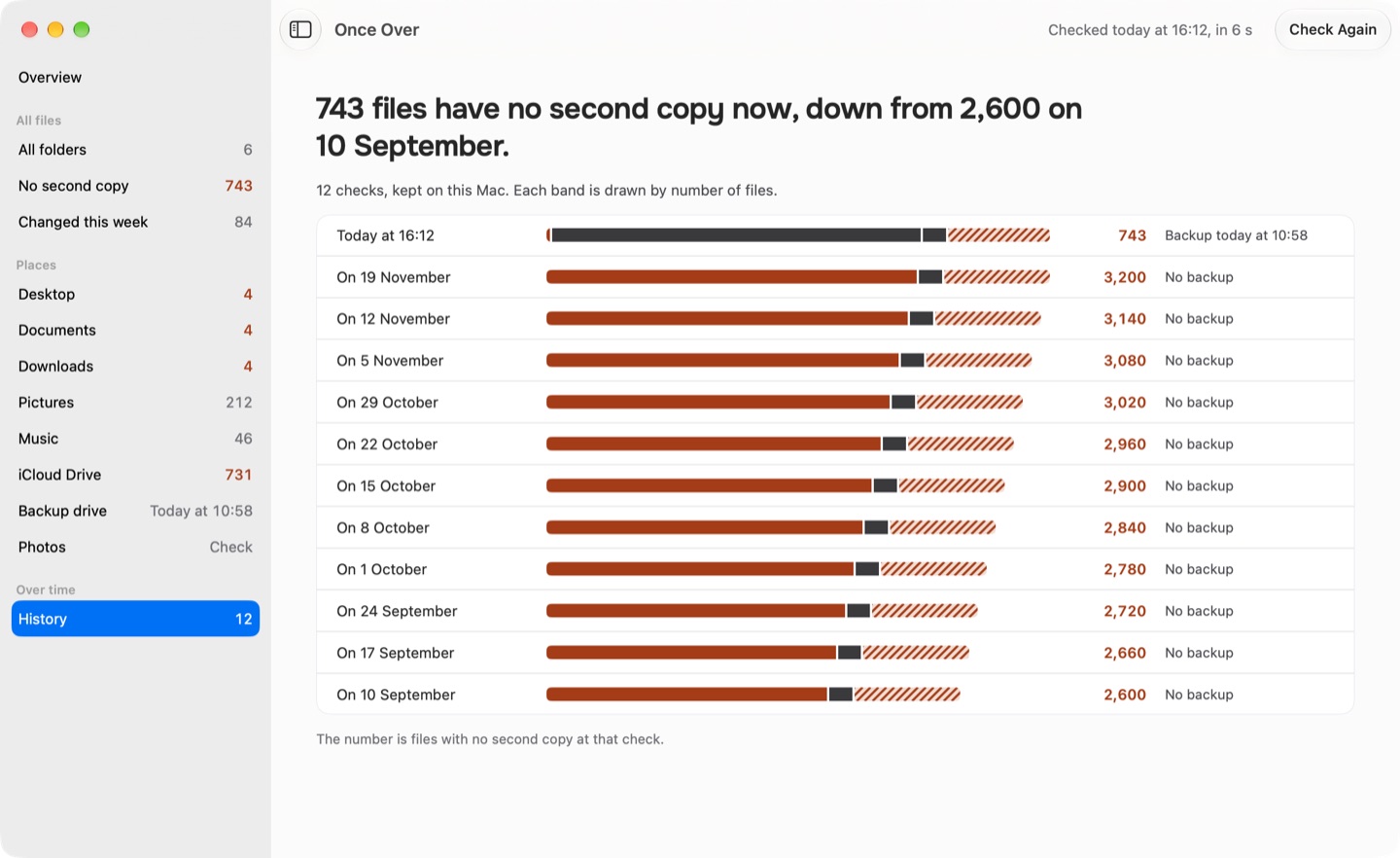 History: twelve weekly checks, each drawn as a band, with the count with no second copy falling after a backup drive arrived
Film
1:49. Download the film · vertical version
Questions and codes
Email info@nicoleslittlebrother.tech for anything else, or for a code to try the full version. The icon, screenshots and film may be used in coverage of Once Over.